[{"url":"/products","name":"Products","linkClass":null,"categoryCode":null},{"url":"/interface-electronic","name":"Interface Electronics","linkClass":null,"categoryCode":null},{"url":"/interface-electronic/discover-overvoltage-protection-specialty-electronics","name":"Overvoltage Protection","linkClass":null,"categoryCode":null},{"url":"/interface-electronic/discover-overvoltage-protection-specialty-electronics/electronic-circuit-breakers","name":"ECBs","linkClass":null,"categoryCode":null},{"url":"/interface-electronic/discover-overvoltage-protection-specialty-electronics/electronic-circuit-breakers/why-electronic-fuses","name":"Why Electronic Fuses?","linkClass":"active","categoryCode":null}]

Electronic Circuit Breakers
WAGO’s ECBs offer greater safety for protecting your system. Thanks to their communication capabilities, they also provide data about the current status of the channel and the connected loads.
Why Secondary-Side Fuse Protection?
On the secondary side, switched-mode power supplies provide DC voltage to control circuit loads (e.g., controllers, operating panels, displays and auxiliary relays). These control circuits also call for wiring protection and if the load has no protective unit of its own, device protection as well. Furthermore, the Machinery Directive (EN 60204) requires hazardous ground faults in control circuits to be detected and switched off within five seconds.
The overcurrent protection in primary switched-mode power supplies reacts very quickly to overcurrents on the output side. Selective protection of individual current paths in the secondary circuit via fuses or conventional circuit breakers is often ineffective if the power supply cannot deliver a brief overcurrent.
What Types of Fuse Protection Are There?
Thermal
Possible applications:
- Found in NH fuses, DP fuses
- High overcurrents required for fast tripping
Explanation:
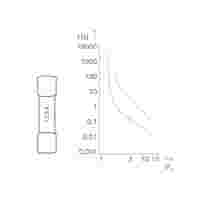
- In the example: ten-fold overcurrent (with respect to the fuse’s nominal current): tripping within the range of 30 ms (best case) or 200 ms (worst case)
- Only 2-fold overcurrent: Trip in the range of 2 s (best case) or > 100 s (worst case)
Thermal and Magnetic
Possible applications:
- Found in circuit breakers or motor protection switches
- High overcurrents required for fast tripping
Explanation:
- In the example: three- to five-fold overcurrent for B-characteristic and AC operation, additional safety factor: 1.2 or 1.5
- Thus, in the worst-case scenario, a tripping current 7.5 times the nominal current is necessary
Electronic
Possible applications:
- Precision setting options
- Reaction within a short time, even with low overcurrents
- Can protect long cable runs and small cross-sections
Explanation:
- ECBs ensure reliable protection, even with low overcurrents and long cable lengths.
How Does an Electronic Circuit Breaker Work?
The ECB checks whether the output current is greater than the nominal current. As soon as the output current exceeds the nominal current, the output is switched off electronically by a semiconductor switch. The tripping time depends on the magnitude of the overcurrent. The measurement of the output current, the processing and calculation of the tripping time and the actuation of the semiconductor switch are performed by a microprocessor that monitors one or more output channels. The corresponding tripping times can be found in the graph on the right.
- Can switch off secondary-side overcurrents and short circuits #end-# even for long cable runs and small conductor cross-sections #end-# with precision, speed and repeatability
- Selectivity, especially with ECBs with active current limitation
- Remote operation via digital input and output
- Fast and reliable communication via IO-Link protocol, signal contact, potential-free signal or Manchester protocol
- Compact installation size and width, for example, eight output channels in just 42 mm (1.653 inch), saving more than 70 % of installation space compared to miniature circuit breakers
- The nominal current can be set for each channel
- Satisfy EN 60204-1 requirements for dependably switching off ground faults after five seconds
Digital Signaling (DI/DO)
- The digital input (DI) serves as a remote input for collectively resetting all tripped channels.
- The digital output (DO) provides a collective signal indicating whether any channel has tripped due to overcurrent.
- Simple collective signaling is enabled via push-in type jumper bars.
Manchester Protocol
- The digital input (DI) serves as a remote input for switching specific channels on and off using pulse sequences.
- The digital output (DO) transmits the status, current load, and selector switch position.
- The digital output (DO) also provides collective signaling.
- Optionally, input voltage and output or rated current per channel can be transmitted.
IO-Link
- IO-Link interface
- Read out the status, configured rated current, and actual voltage/current values for each channel
- Configure the rated current, switch channels on/off, and reset individual channels
Modbus RTU
- Modbus RTU interface
- Easy integration into existing systems and reliable cyclic data transmission
- Read out the status, configured rated current, and actual voltage/current values for each channel
- Configure the rated current, switch channels on/off, and reset individual channels
Additional service offerings: