1. Finding samples
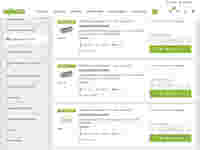
Find samples via the search function or product lists by using the item number. Set the filter "Premium sample program" within the search function or product lists to get an overview of the samples. Items available as samples are indicated by the package symbol or the link "Order sample". If your desired product is not available as a sample, please contact your sales contact.
2. Ordering samples
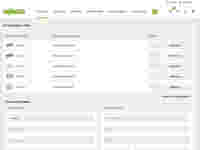
Once you have selected the needed samples (max. of 3 samples per item and max. of 10 components per order), go to the sample list. Fill out and submit the request form. Registered users who are logged in do not need to fill out the form as it will be automatically filled out with appropriate data from your account.
3. Receiving samples
Once we receive your sample request it will be processed by our shipping experts. All sample requests received by 2 p.m. on weekdays are normally sent out on the same day. We make every effort to process your order quickly and accurately to ensure that you receive the requested samples as soon as possible.